Skip to product information
1 of 6

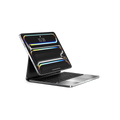
Refurbished Brydge MAX 11.0 for iPad Air & Pro 11" (1st–4th Gen)

Refurbished Brydge MAX 11.0 for iPad Air & Pro 11" (1st–4th Gen)

A full-size aluminum keyboard that tilts to any angle, built to replace your laptop.
Compatibility: For iPad Air 11" (4th–6th gen) and iPad Pro 11" (1st–4th gen)

Regular price $199
Regular price Sale price $199

In-stock

Colors: Carbon Gray Chrome
View full details

Free Shipping
US & Cad $150
Intl $400

Free Shipping
US & Cad $150 / Intl $400

30-day returns

1-year warranty

Not sure which iPad?

Why Brydge MAX 11.0

All-Aluminum Keyboard Case

All-Aluminum Keyboard Case

Premium-grade aluminum keyboard case, weighted at 1.72 lb for optimum stability. Solid on a desk, steady at any angle.

MAX View Hinge

MAX View Hinge

Any angle, flat to upright. Find your perfect typing or viewing position instantly.

Multi-Touch Glass Trackpad

Multi-Touch Glass Trackpad

A full glass surface with true gesture support — MacBook Pro-level tracking and precision.

Adjustable Backlit Keys

Adjustable Backlit Keys

Multiple brightness levels adapt to any lighting. Type comfortably, day or night.

Compatible with:

Compatible with:

iPad Pro (2018) – 11-inch (1st Gen) | Model A1980, A1934,
A2013, A1979

iPad Pro (2020) – 11-inch (2nd Gen) | Model A2228, A2068,
A2230, A2231

iPad Pro (2021) – 11-inch (3rd Gen) | Model A2377, A2459,
A2301, A2460

iPad Pro (2022) – 11-inch (4th Gen) | Model A2759, A2761,
A2435, A2762

iPad Air (2020) – 4th Gen | 10.9-inch | Model A2316, A2324,
A2325, A2072

iPad Air (2022) – 5th Gen | 10.9-inch | Model A2588, A2589,
A2591

iPad Air (2024) – M2 | 11-inch | Model A2902, A2903, A2904

iPad Air (2025) – M3 | 11-inch | Model A3265, A3266, A3267

iPad Air (2026) – M4 | 11-inch | Model A3459, A3460, A3463

How to Find Your Model:

METHOD 1: On the back of your iPad - "Model A####" –
METHOD 2: Settings → General → About → Model Number

“This is a game-changer and feels like the first true premium competitor to Apple's Magic keyboard.”

Andrew O'Hara · AppleInsider

Key features

Multi-Touch Trackpad
All-Aluminum Case
MAX View Hinge
Magnetic SnapFit™ Case
Instant-On™ Connectivity
Adjustable Backlit Keys

Full multi-touch gesture support

Swipe between apps. Scroll through documents. Select text with precision.​The glass trackpad surface is also smooth, responsive, and accurate.​

Feel The Difference.

Machined from premium aluminum with a finish that matches your iPad. Not just a case. A complete keyboard designed specifically to enhance your iPad experience

Find Your Angle​ - 270° of viewing freedom.

From focused work to casual use, the MAX View Hinge holds your iPad exactly where you need it.​ Smooth movement. Secure positioning. Built for stability.​

Secure by design.

Drop your iPad in and the SnapFit case takes care of the rest. Strong magnets lock it in place, protected front and back, ready whenever you are.

Open and Work. Instantly.

With Instant-On™ connectivity, your keyboard wakes up the second you hit a key, saving valuable battery life so you can dive straight into your workflow without a single second of waiting. Just open, type, and let the MAX 11.0 automatically reconnect to your iPad. Skip the frustrating pairing menus and power buttons.


Work in any lighting conditions.

Adjustable backlit keys that keep every letter perfectly visible, day or night.
Full-size keys with 1.3mm travel deliver tactile feedback designed for extended typing session

Feel the difference.

Most keyboard cases are made of plastic. The MAX 11.0 is machined from premium aluminum, matched to your iPad's finish. Every detail considered. Not just a case. A complete keyboard designed to enhance your iPad experience.

Your office just got an upgrade.

The MAX 11.0 was built for the real world. Adjustable backlit keys adapt to any environment, from a dimly lit bar to a bright open-plan office. All-day battery means no excuses, no compromises, wherever the day takes you.

Type more.
Do more.

Full-size keys with 1.3mm travel deliver a typing experience that genuinely rivals a MacBook Pro. The all-glass trackpad supports Apple gestures natively, swipe, scroll, and select with precision. Backlit and adjustable. Built for the way you work.

But wait, there’s more

Trackpad on/off

Toggle it on or off instantly, so your iPad works exactly the way you want it to.

Available in multiple colors

Choose the finish that complement your iPad and your style.

Multimedia shortcuts

A dedicated row of shortcut keys puts volume, brightness, and media controls one tap away.

Tech Specs

compatibility

Compatibility

iPad Pro11" M4/M5

iPad Pro (2024) -M4 | 11-inch | Model A2836, A3006

iPad Pro (2025) -M5 | 11-inch | Model A3357, A3358

Model & Colours

COLORS

Brydge Max 11.0, Carbon Gray

Brydge Max 11.0, Silver

Brydge Max 11.0, Carbon Gray Chrome

MODEL NUMBER

BRY4042

BRY4043

BRY4044

Size & Weight

SIZE

Size:

Length: 9.92 in (252 mm)
Width: 7.48 in (190 mm)
Height: 0.27 – 0.63 in (6.8 – 16 mm)

Weight:

1.72 lb 0.78kg

Battery Life

WITHOUT BACKLIGHT

Up to 3 months at 2 hours use per day with no backlight use. Rechargeable via USB-C cable

WITH BACKLIGHT

Up to 40 hours per charge with consistent backlight use. Rechargeable via USB-C cable.

What's in the Box

ITEMS

  • Brydge Aluminum Keyboard
  • Quick start guide

Note: USB-C charging cable is not included.

Warranty

WARRANTY

1-Year Limited Warranty

Frequently Asked Questions

Didn’t find the answer you were looking for?

Our support team is here to help. We’ll be happy to assist with any additional questions.

Please Email Us At:
Support@Uintaproducts.Com

The MAX 11.0 fits iPad Air 11" (4th–6th Gen, the 2020–2026 M2/M3/M4 models) and iPad Pro 11" (1st–4th Gen, 2018–2022). It does not fit the iPad Pro 13" or Air 13" — see the MAX 13.0 for those sizes.

Why this changed: the live answer currently covers both MAX 11.0 and MAX 13.0 compatibility in one combined response, identical across all three MAX product pages. This version is scoped to just the MAX 11.0.

Open the keyboard and your iPad connects instantly, no buttons, no pairing menus. Once paired it stays connected for up to 4 hours before sleeping, without affecting battery life.

Yes. Press Fn + Space to toggle the trackpad on or off instantly. Useful for focused typing sessions.

Up to 3–6 months on a single charge depending on backlight use. Charges via USB-C in under 4 hours.

Yes the SnapFit case keeps all ports accessible including the Apple Pencil charging port on compatible iPad models.

Detach your iPad and power the keyboard off first. Wipe the aluminum body and keys with a soft, lint-free microfiber cloth — lightly dampened with water if needed, then dried. Use a soft dry brush for crumbs between the keys.

Never spray liquid directly onto the case, and avoid bleach, ammonia-based glass cleaners, solvents, and abrasive pads — they can dull the anodized finish. If you want to disinfect, use a 70% isopropyl alcohol wipe sparingly on the keys and trackpad only.