


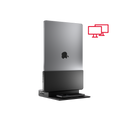
Very nicely made. All worked as it should and makes a tidy arrangement.
Brydge ProDock Duo - Vertical Dual-Display Thunderbolt 4 Dock for MacBook

In-stock
Couldn't load pickup availability

Free Shipping
US & Cad $150
Intl $400
Free Shipping
US & Cad $150 / Intl $400

30-day returns

1-year warranty
Why Brydge ProDock Duo - Vertical Dual-Display Thunderbolt 4 Dock for MacBook

Up to 90W power delivery

Dual 4K display at 60Hz

Thunderbolt 4™ & TB5 Forwards Compatible

Vertical docking design


Brydge ProDock Family
Answer a few questions about your MacBook and setup — we'll match you to the right dock, right-sized for how you actually work.
Step 1 of 3
Apple menu → About This Mac, if you're not sure.
✓ YOUR MATCH
Why this dock
Please re-check your answers and try again.
Overall rating: 4.4 / 5 from 72 reviews.
Very nicely made. All worked as it should and makes a tidy arrangement.
Brydge ProDock Duo - Vertical Dual-Display Thunderbolt 4 Dock for MacBook
Great dock, frees up a lot of space!
Brydge ProDock Duo - Vertical Dual-Display Thunderbolt 4 Dock for MacBook
My desk looks so sleek and organized with this set up!
Brydge ProDock Trio - Triple Display Vertical Docking Station for MacBook Pro
.
Brydge ProDock Duo - Vertical Dual-Display Thunderbolt 4 Dock for MacBook
Crazy easy to set up and it just works! Great purchase!
Brydge ProDock Duo - Vertical Dual-Display Thunderbolt 4 Dock for MacBook
Loved the connectivity and the ability to dock my laptop vertically, as well the the added bonus of having an iPhone charger on the base! The modularity that allows for different laptops via sleeves. All to say that these are wonderful innovations, and vastly superior to my original BRYDGE docking station! Bravo!!!! 👏
Brydge ProDock Duo - Vertical Dual-Display Thunderbolt 4 Dock for MacBook
Getting the Brydge Produce Duo has helped clear up additional space on my desk! Love it.
Brydge ProDock Duo - Vertical Dual-Display Thunderbolt 4 Dock for MacBook
Great piece e of kit, very high quality and seem to have thought of everything. Bought one for the office and one for home. 5 minute set up and working straight away love the mag charger on the front for my iPhone too
Brydge ProDock Solo - Single Display Vertical Dock for MacBook
Product is very good. It was a shame though that I got a bill of €88 on top of the invoice for import taxes. This was nowhere mentioned on the checkout page. Even though I am happy with the product. It's very robust.
Brydge ProDock Trio - Triple Display Vertical Docking Station for MacBook Pro
100% satisfied. Very easy to setup, and is a very. Reliable product…. I like the improvements that was made from previous generations fo the dock.
Brydge ProDock Trio - Triple Display Vertical Docking Station for MacBook Pro
Superb
Brydge ProDock Trio - Triple Display Vertical Docking Station for MacBook Pro

Excellent!!! Love it!
Brydge ProDock Trio - Triple Display Vertical Docking Station for MacBook Pro
Sturdy design. Good weight.
Brydge ProDock Trio - Triple Display Vertical Docking Station for MacBook Pro
Good quality. Great piece!
Brydge ProDock Duo - Vertical Dual-Display Thunderbolt 4 Dock for MacBook

when in and out of meetings all day - 1st thing in the morning and leaving the Bridge is seamless, fast and integrates all peripherals at a professional pace - love it.
Brydge ProDock Trio - Triple Display Vertical Docking Station for MacBook Pro
Great ordering experience, great customer service, and fast shipping!
Brydge ProDock Trio - Triple Display Vertical Docking Station for MacBook Pro
Amazing experience. The best customer service that I have encountered in a while. I ordered the wrong size and without any hesitation they sent a new one without even asking me to send the previous one back. These days - that level of customer care is pretty much extinct. Kudos to this company.
Brydge ProDock Duo - Vertical Dual-Display Thunderbolt 4 Dock for MacBook
Fantastic product. Way easy to use!
Brydge ProDock Duo - Vertical Dual-Display Thunderbolt 4 Dock for MacBook
Perfect MacBook dock if you want dual monitors (for 3 or more, buy the next model up!)
Brydge ProDock Duo - Vertical Dual-Display Thunderbolt 4 Dock for MacBook
Actually great dock. I'd love it if they'd either sell a sleeve that is compatible with Incase hardshells or maybe offer an STL file. Seems like a pretty easy 3D print.
Just getting it set up but so far everything is great!
This is the 3rd docking station I have purchased through Brydge. It has the perfect footprint and works so well for me as I often have to leave my desk frequently.
Well designed and does what it does quite well. The cleanup of the desktop is greatly enhanced due to this dock.
So far its been working fine, I like how easy it was to assemble, and if I change my laptop in the near future I can still use this dock.
I have sent you a request to return one of the sleeves as it is small and I ordered a replacement
this device does exactly what is describes, this was something i've been searching for a long time and the only one of it's kind to do all necessary functions has a macbook pro station. It also keeps your laptop cool enough and does not overheat at all, extremely impressed and highly recommend this product.

Amazing product and great customer support.
I have been a Brydge dock user ever since the first model and this new one is truly a game changer. Seamless docking with multiple ports and built-in wireless phone charger as well as dual screen support, it's simply the best dock to use with my Mac laptop!
I have purchased three of these in the past for different size Macs, and they are excellent.
X
Love the product, however please ensure that on your website for troubleshooting or even on all the forums it is made clear that to connect to an external monitor that there was a simple fix to the problem no display on the external monitor that didn’t involve a new monitor. The advice from a salesperson to get a 240W USB-C to USB-C cable but that was Ultra HD resolution and Ultra high speed data transfer - suitable for transferring large video files (around $10USD on Amazon). The plugging in of this cable to the USB C port on my existing Smart TV and then plugging this into the thunderbolt port of the Brydge Pro solved the problem without buying a gaming monitor as advised by your help team and I type this reply visible on a 4K Smart TV!
Worked great, docking and undocking much better than previous version, flawless.
.Excellent product, works great with my 14” MacBook Pro M5. Somewhat expensive, but well built and solid
It’s a little pricey for what it is, but for the discerning desktop User it’s the best.
Perfect Setup!
I have tried a number of USB C docks built for the MacBook Pro but they were frequently inconsistent and would eventually stop working properly. I decided to invest in the ProDock because it truly does everything I need for my workspace to function properly. I was very impressed with the build quality and packaging and it has so far solved all of the problems I was having. I am hoping that it will continue to provide many years of service.
Setup was easy. Really cleaned up my desk. Fewer cords. Much easier returning from a meeting to my desk with laptop -- just drop it in sleeve, no messing with power/display cables. Wireless charging pad for my phone or ear buds -- again no messing with cables. Love it!
Nice dock after sending 2 different ones back from other vendors. This ticked off all the boxes needed for a MacBook that replaced a Mac Studio because I needed a portable computer for travel. Lots of ports and gets the laptop up and out of the way.
Great product. Works like a charm. No issues. Elegant and easy to assemble
Awesome product, love it couldn’t be better!!!


